How to join our class after you register
Step 1
Step 2
Step 3
Step 4
Step 1
Step 2
Step 3
Step 4
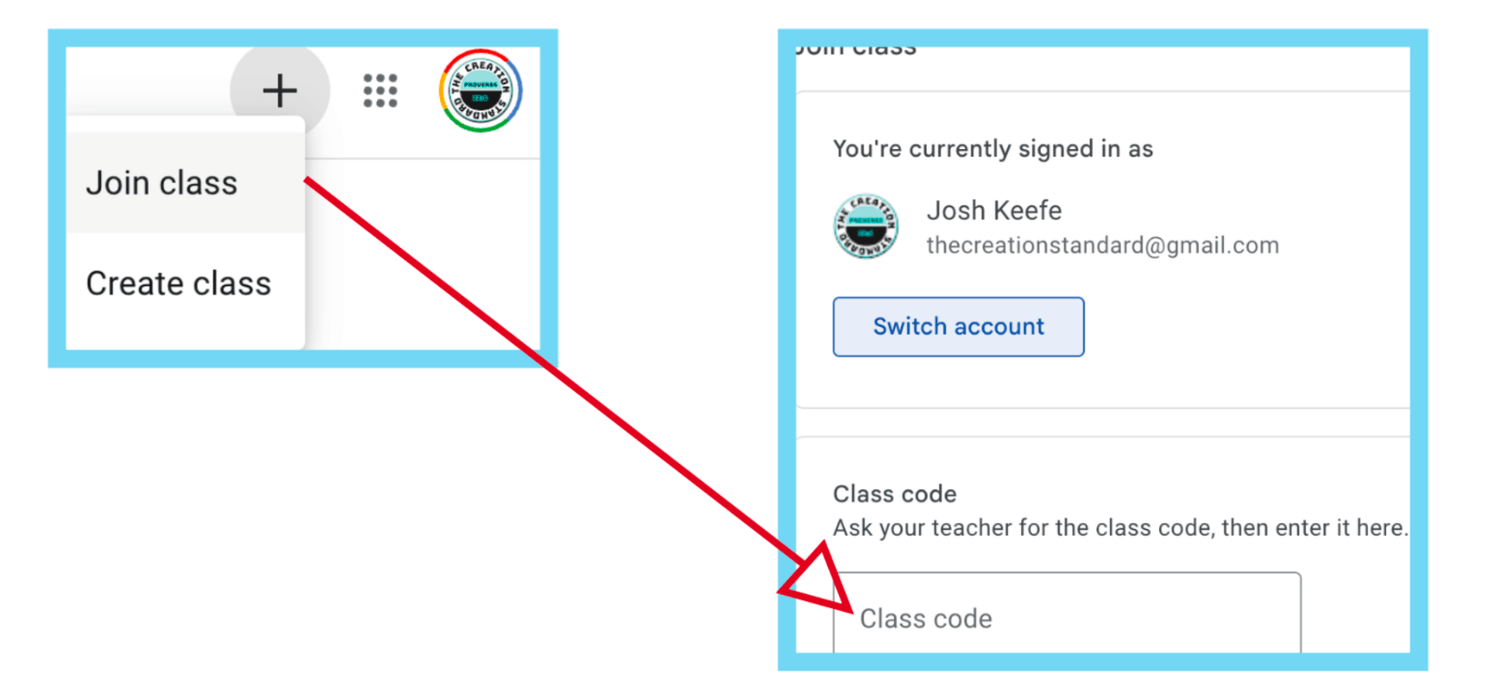
STEP 1 After you have received your code or codes, Go to google and login to the account that you want to use to join the classroom. Then, go to https://classroom.google.com and click the plus sign in the upper right corner of the screen and select "join class" as seen above. Then, use the code you received after you either paid for the first month or were approved for the free and or reduced price class/classes. If you need financial assistance, send an email to thecreationstandard@gmail.com
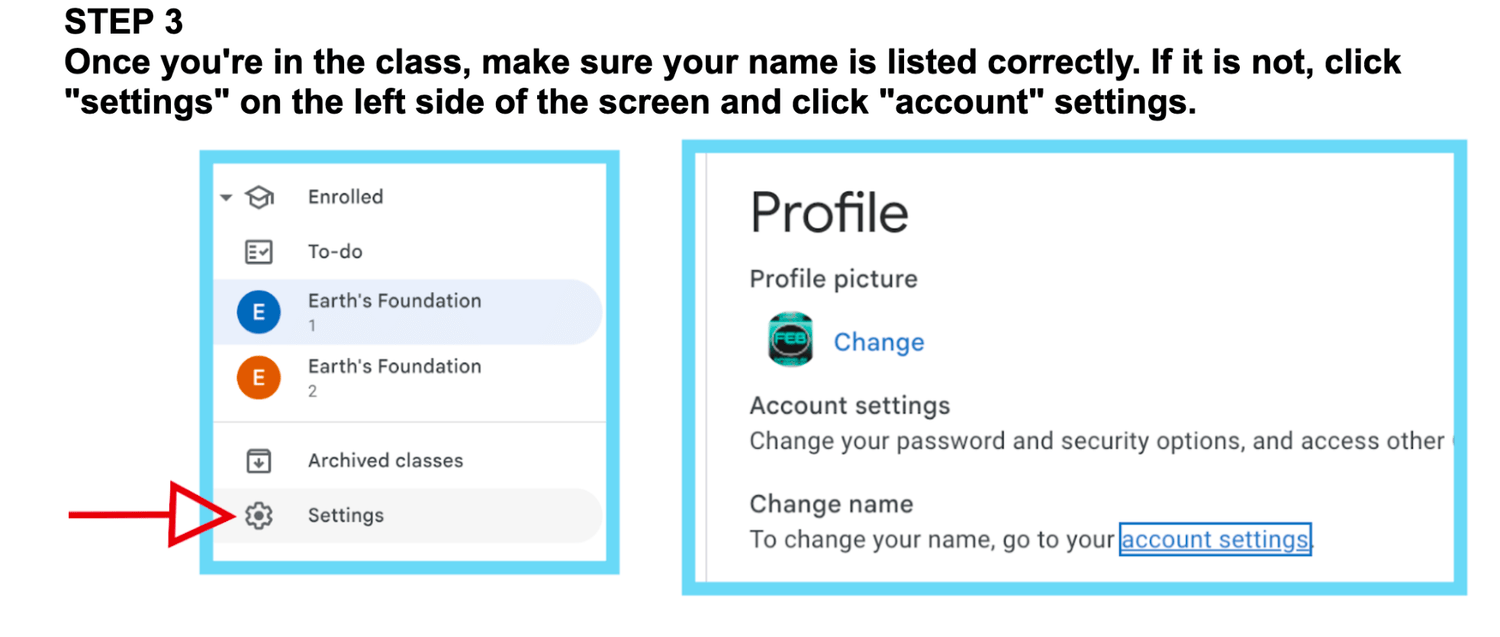
Once you're in the class, make sure your name is listed correctly. If it is not, click "settings" on the left side of the screen and click "account" settings.
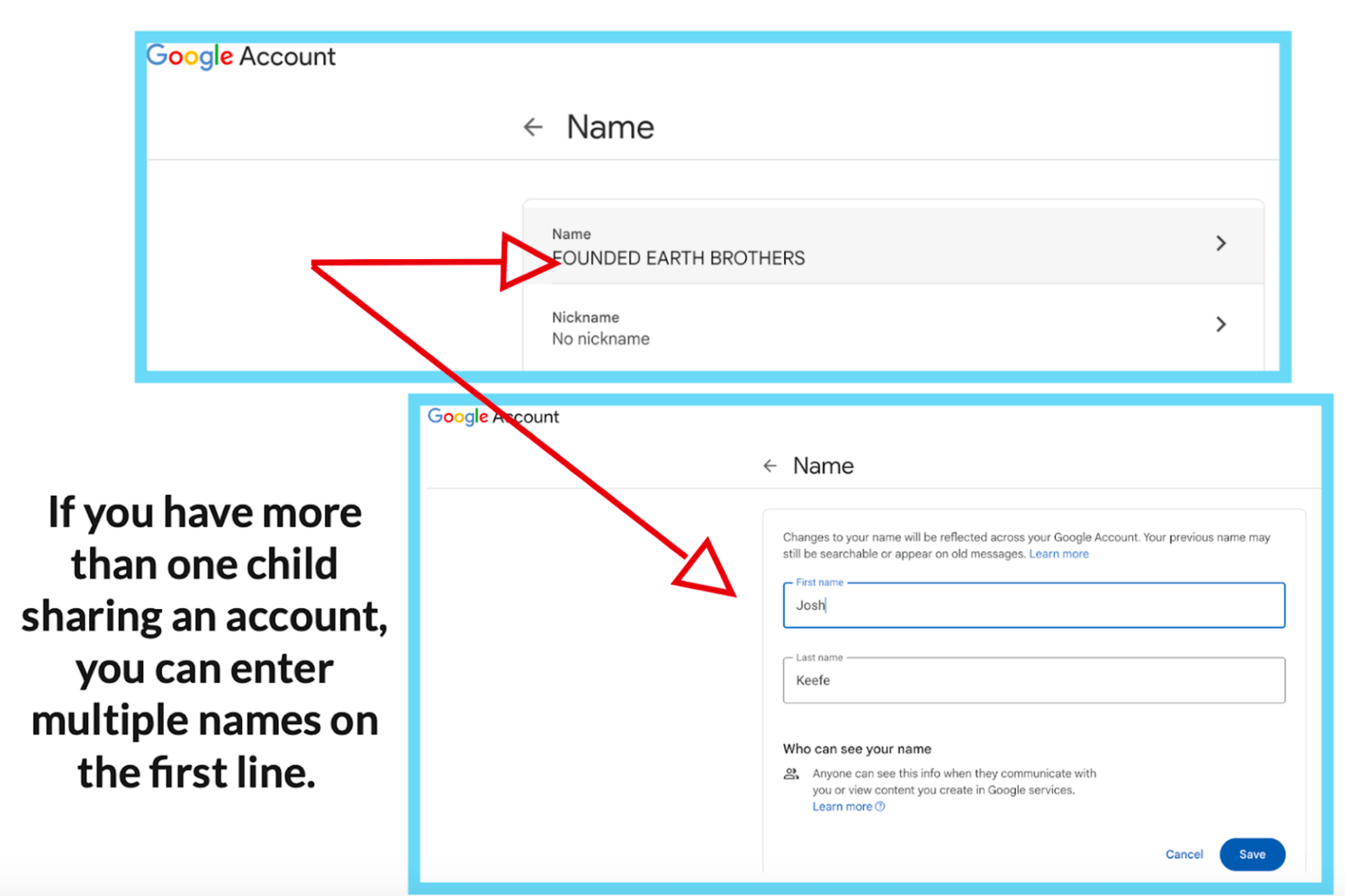
Once you are in account settings, click your name and change it to the name listed in the registration form. You may use the first letter of your last name if you don't want people seeing your full name.
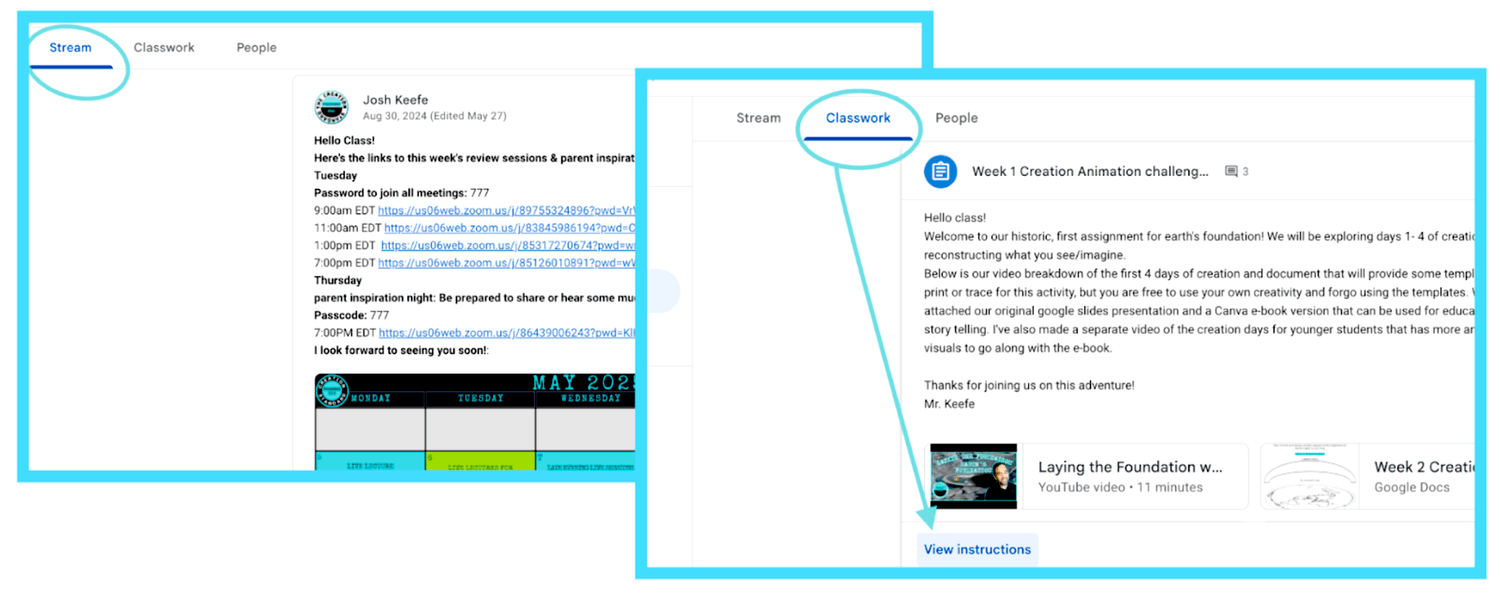
Click "save" and you're all set! Links to join the live lectures for each week are posted in the class stream and are also found in each week's assignment. You may have to click "view instructions" to see weekly videos, activities, documents, and resources.
Step 1 of 4